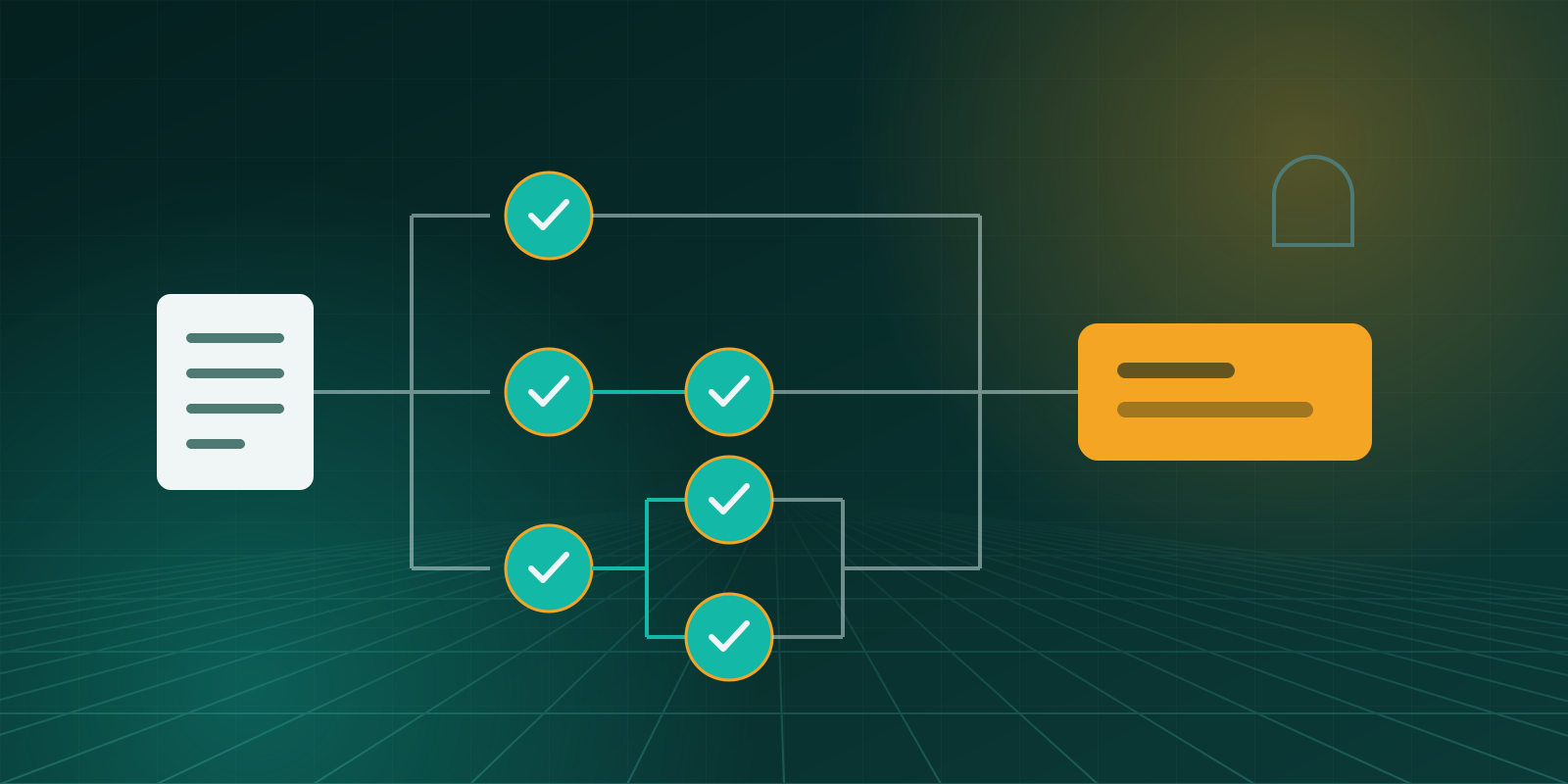
Designing a payment approval workflow in Odoo
How to set approval limits by amount, decide who approves and in what order, and keep a record that stands up to audit.
7 min read

Every outgoing payment approved by the right people, with a full record.
The problem it solves
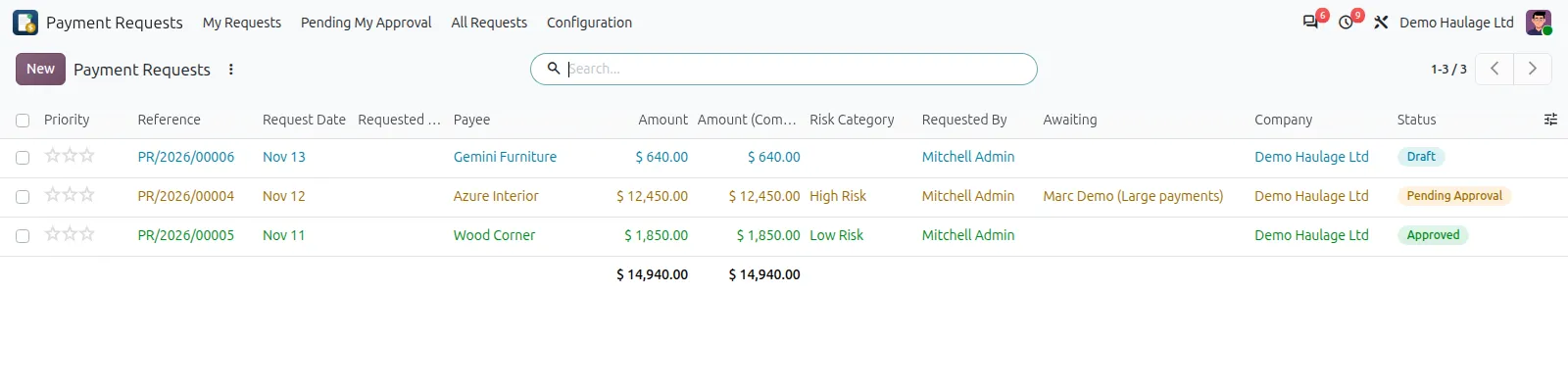
Payment Requests puts every outgoing payment through an approval route that matches its size and risk. Requests are raised in Odoo against the vendor and the document being paid, routed to the right approvers, and paid only once approved.
The record of who asked, who approved and when is kept on the request itself, so audits and month-end reviews no longer depend on searching inboxes.
Key features
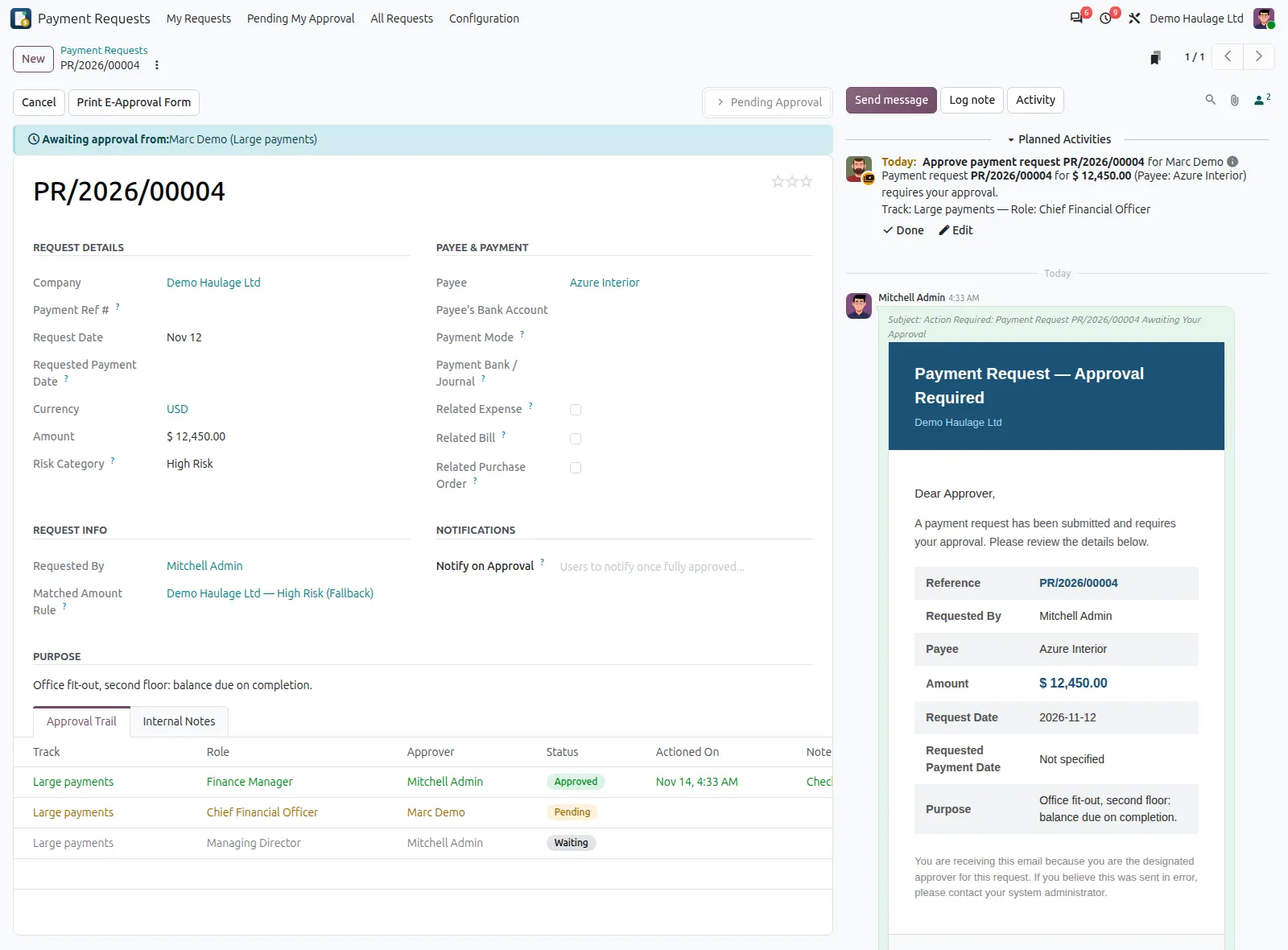
Each request names the payee and can be linked to vendor bills, purchase orders or expense reports; the amount fills in from them and a mismatch is flagged.
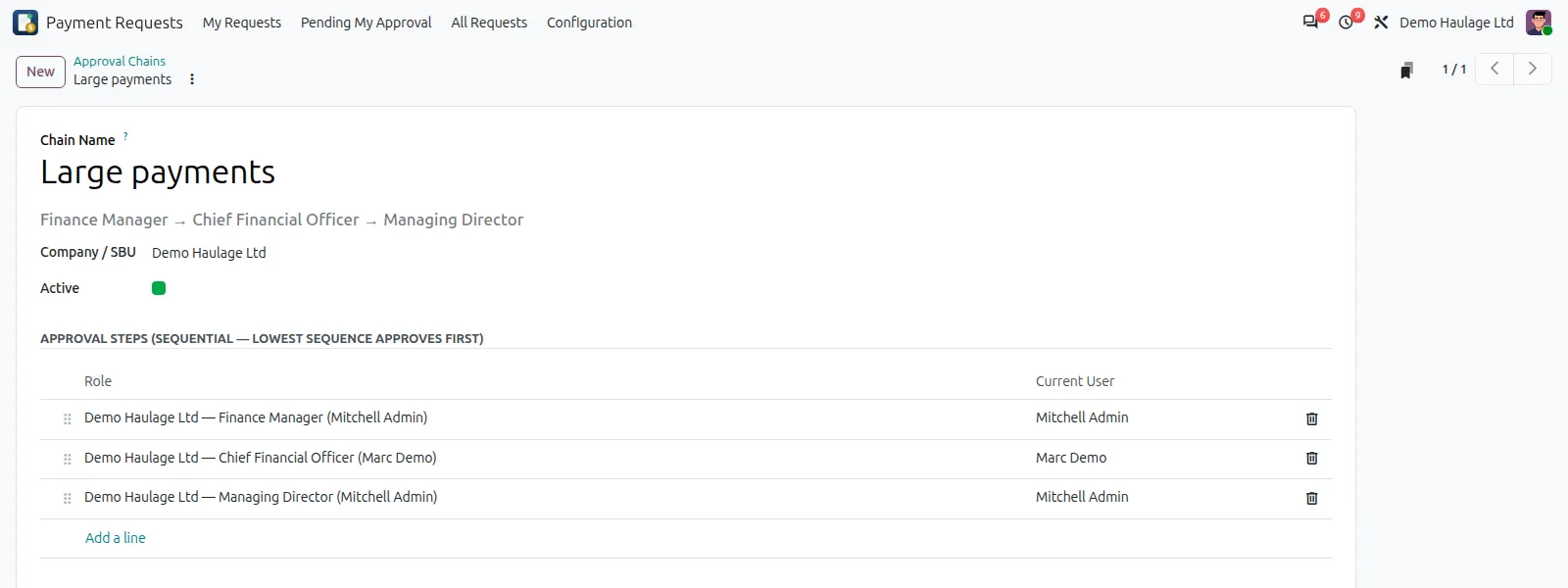
Each approval chain runs step by step. Several chains can run side by side, and the request is approved when any one of them is complete.
You set amount bands, each with its own approval chains, so larger payments go to more senior approvers. Bands can be set in a foreign currency.
Each step can be approved or rejected only by the person who holds that step's role, and a rejection needs a reason.
Each approver gets a notification and a task in Odoo, so no request is forgotten.
Every submission, approval, rejection and change is recorded with the user and the time.
Approval rules, chains and roles are set per company.
The approved request prints as a payment approval form for finance, with the payee's bank account, the journal and the payment reference.
How it works
The requester selects the payee, links any bills, orders or expense reports, and states the amount and purpose.
The amount decides the risk category and the approval chain.
Each approver acts in turn, with comments recorded on the request.
Finance pays it in Odoo Accounting or the bank, records the payment reference, and the full history stays on the request.
Compatibility
Payment Requests is maintained for Odoo 15 to 20. Check the edition and the apps it needs before you plan an installation. If your set-up differs, ask us and we will tell you plainly what is possible.
Implementation and support
We install the add-on on your Odoo.sh project or server, after testing it on a copy of your database.
We set it up to match your rules, document numbering, accounts and user access.
Your users and administrators are trained on real examples, with a short written guide.
We fix issues, answer questions and keep the add-on running day to day.
When you move to a newer Odoo version, we upgrade the add-on and your data with it, tested on a copy first.
We maintain the add-on code, and any custom add-ons you already run, so they stay compatible as Odoo changes.
Questions
Only if they hold a role in the approval chain the request goes to. The add-on does not block it, so keep requesters out of the roles that approve their own requests.
Yes. A request can be in any currency and is converted to the company currency at the request date to choose the approval band. Bands can also be set in a foreign currency with a fixed rate.
The approver must give a reason. The remaining steps are skipped and the requester is emailed. The request can then be reset to draft, corrected and submitted again.
No. It records the approval, the payee's bank account and the bank journal to pay from. Finance makes the payment as usual and notes the payment reference on the request.
Related articles
How to set approval limits by amount, decide who approves and in what order, and keep a record that stands up to audit.
7 min read

What standard Odoo does with proforma invoices and down payments, where the gaps are, and how to see the payment status of every order.
6 min read
Related add-ons
For money coming in. See what each customer has paid against every proforma invoice, product by product.
Run properties, tenancies, landlords and maintenance inside Odoo.
Need help beyond this add-on? See our Odoo ERP implementation service.
Book a demo and we will show you Payment Requests using examples from your own business.