Managing rental property in Odoo: tenancies and deposits
How to set up properties and units, rent schedules, tenant deposits, landlord payouts and late-payment penalties in Odoo.
6 min read

Run properties, tenancies, landlords and maintenance inside Odoo.
The problem it solves
Property Management brings the whole rental and property business into Odoo: the buildings and units you manage, the tenants and landlords you deal with, the rent you invoice and collect, and the maintenance that keeps each property running.
It is one add-on with nine feature areas, so finance, property managers and maintenance teams work from the same records. Rent invoices, deposits, landlord bills and agent commissions all post to Odoo Accounting, which means the property ledger and the books never disagree.
Key features
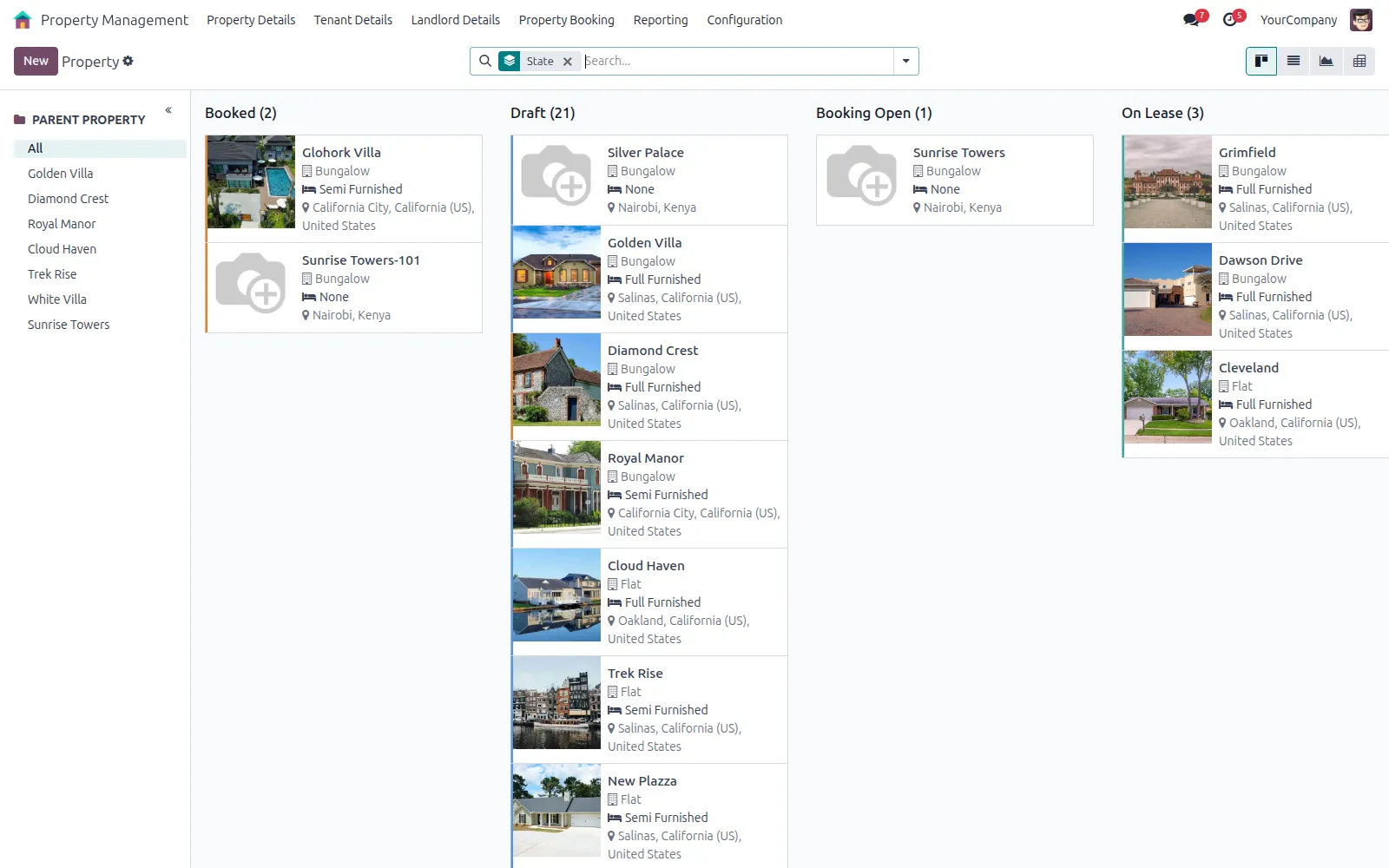
Every building, floor and unit recorded in Odoo, with the status, size and rent of each unit.
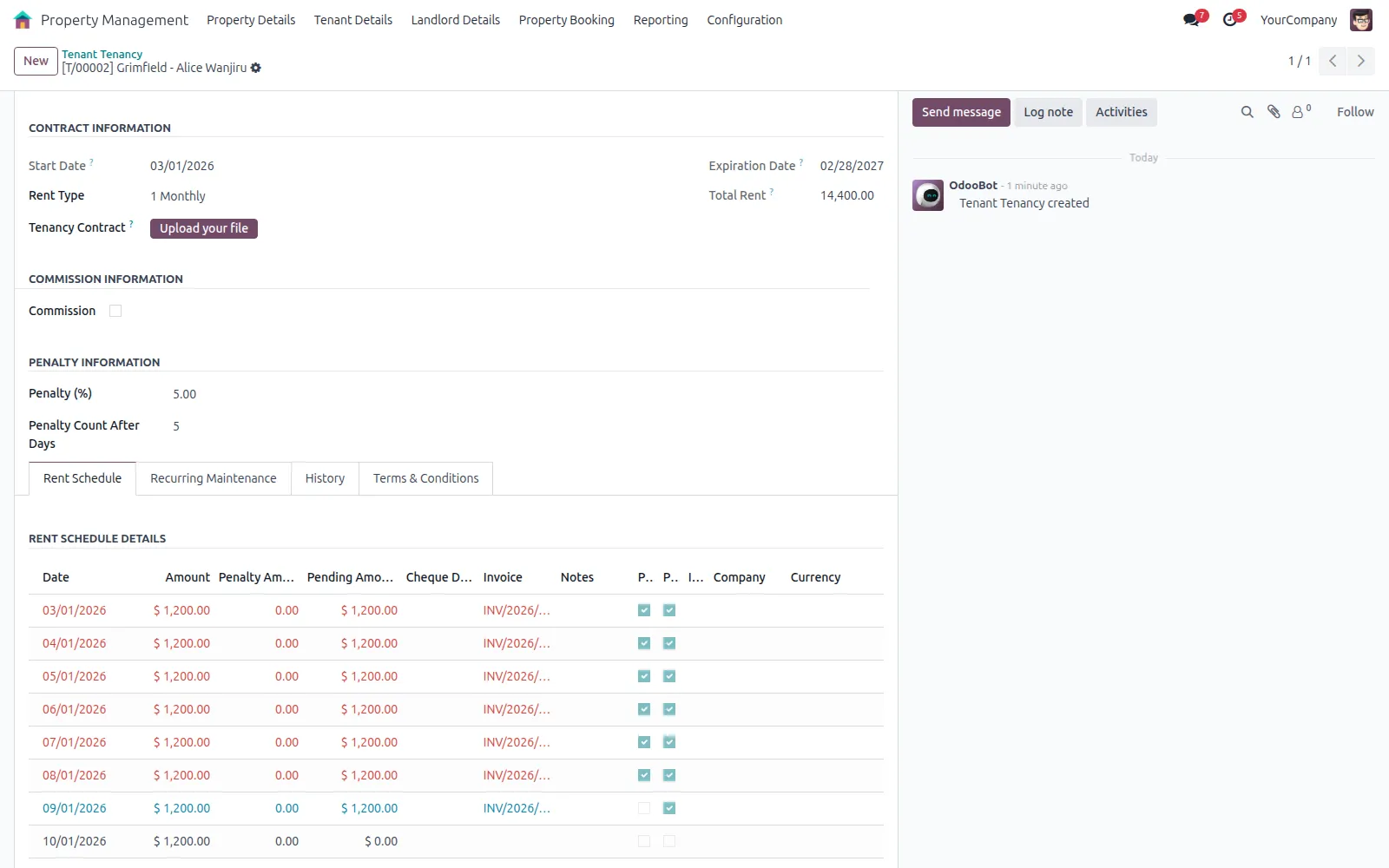
Generate the rent schedule from the contract in one click, raise each rent invoice from its line, and email tenants before rent is due.
Tenant and owner deposits are recorded against the tenancy and released through accounting when it ends.
Landlord agreements, owner deposits and rent bills are tracked, so the rent you owe each owner is billed on schedule.
Agent commissions are calculated from each tenancy, billed and reported for any period.
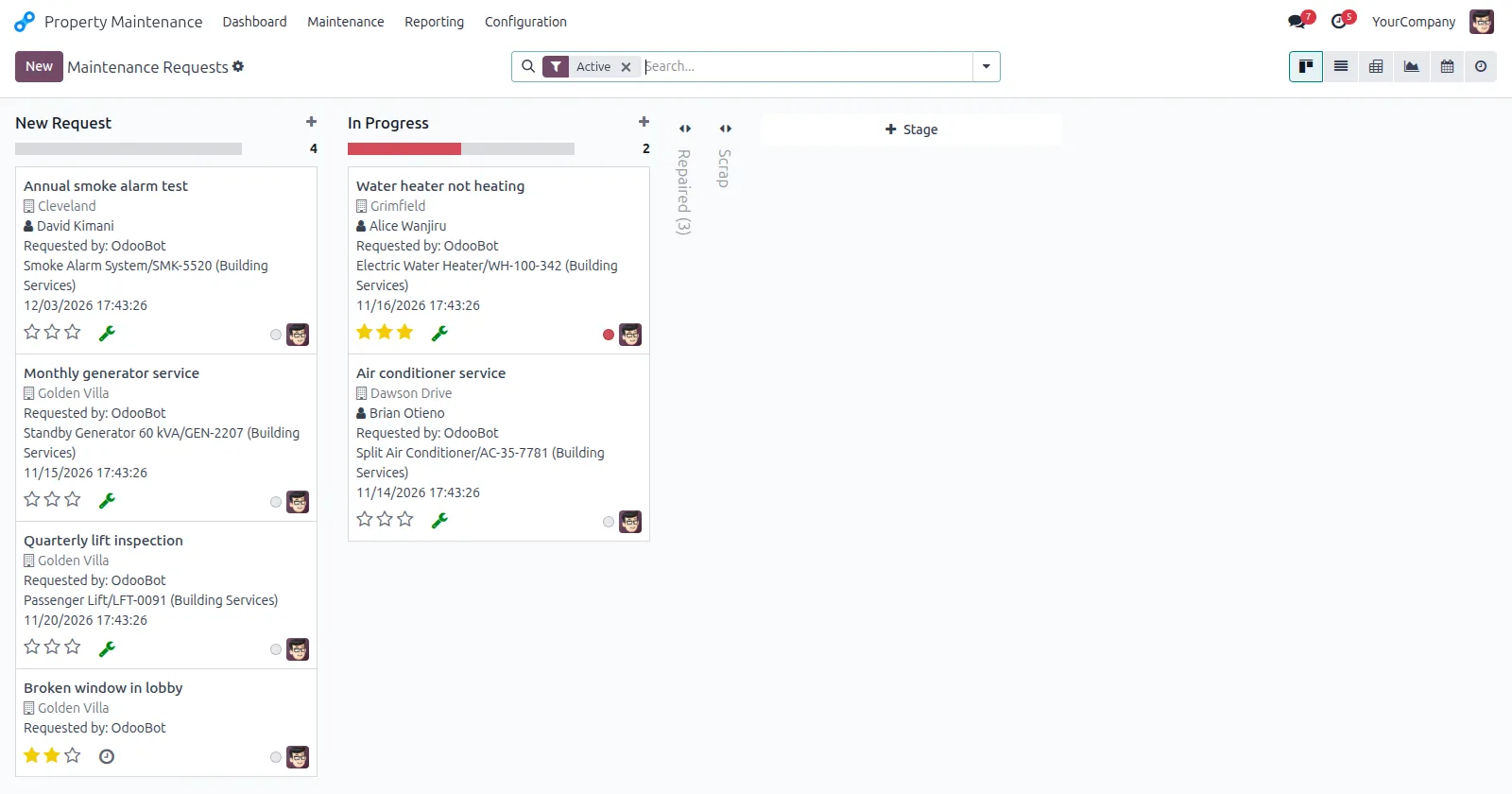
Requests per property with invoicing and notifications, recurring costs added to rent invoices, and a penalty added once the grace period has passed.
How it works
Add the building, its floors and its units.
Log the rent enquiry in CRM and book the unit.
Start the tenancy, generate its rent schedule and receive the deposit.
Rent invoices are raised from the schedule, with a penalty added once the grace period has passed.
Maintenance requests are logged, completed and invoiced.
Landlord rent bills and agent commissions are settled, with a commission report for any period.
What is included
| Feature area | What you get |
|---|---|
| Properties and tenancies | Property register, tenants, tenancy contracts, rent schedules, deposits, rent enquiries in CRM, and reports. |
| Units and booking | Floors and units under a building; book, merge and split units. |
| Landlord management | Landlords, landlord tenancies, owner deposits and rent bills. |
| Agent commissions | Commissions on tenancies, commission bills and reports. |
| Maintenance | Requests and equipment per property, invoicing, and tenant and manager notifications. |
| Recurring maintenance | Recurring maintenance costs added to rent invoices. |
| Late-payment penalties | A penalty percentage added to rent invoices raised after the grace period. |
| Rent vouchers | Printable rent voucher report. |
| Sales and purchases | Purchase and sale instalments, with investment and finance analysis. |
Compatibility
Property Management is maintained for Odoo 15 to 20. Check the edition and the apps it needs before you plan an installation. If your set-up differs, ask us and we will tell you plainly what is possible.
Implementation and support
We install the add-on on your Odoo.sh project or server, after testing it on a copy of your database.
We set it up to match your rules, document numbering, accounts and user access.
Your users and administrators are trained on real examples, with a short written guide.
We fix issues, answer questions and keep the add-on running day to day.
When you move to a newer Odoo version, we upgrade the add-on and your data with it, tested on a copy first.
We maintain the add-on code, and any custom add-ons you already run, so they stay compatible as Odoo changes.
Questions
No. It uses the asset features of Odoo Enterprise Accounting, so it needs Odoo Enterprise. Ask us if you run Community and we will tell you what is possible.
Yes. Any unit can be let on a tenancy or sold with sale instalments, and sold units are marked Sold.
The tenant's deposit is received as a payment linked to the tenancy. When it ends, a return bill for the full deposit is created, and you can adjust it before posting.
Each tenancy has a penalty percentage and a number of grace days. If a rent invoice is raised after the due date plus the grace days, the penalty is added to it as a percentage of the rent.
Related articles
How to set up properties and units, rent schedules, tenant deposits, landlord payouts and late-payment penalties in Odoo.
6 min read

What each Odoo hosting option allows, how much effort it takes to run, and how to choose between them.
8 min read
Related add-ons
For money going out. Every payment is approved by the right people before finance pays it, with a full record.
For money coming in. See what each customer has paid against every proforma invoice, product by product.
Need help beyond this add-on? See our Odoo ERP implementation service.
Book a demo and we will show you Property Management using examples from your own business.