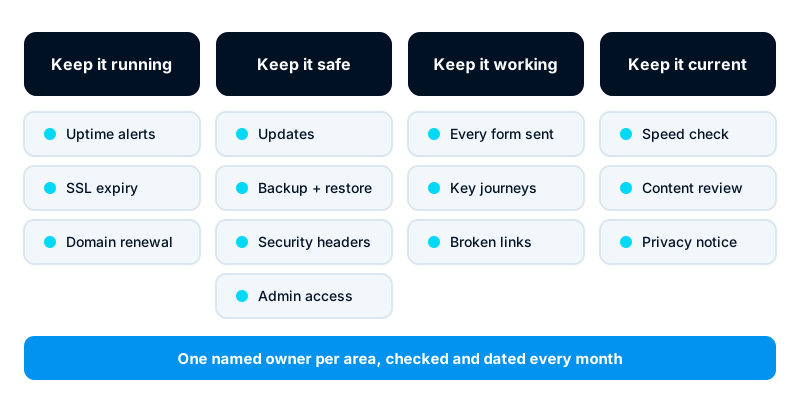
A business website needs about an hour of maintenance each month, plus a few checks that run on their own. Each month, apply updates, confirm last night’s backup and restore one, and check uptime and certificate expiry. Confirm the domain renewal date and submit every form. Then scan for broken links, run a speed test, check security headers and review the content. Give each task a named owner. Most website failures are not dramatic hacks. They are an expired certificate, a contact form that silently stopped sending, or a domain that lapsed because the renewal card had expired.
This checklist is for the person who looks after the website: an office manager, a marketing lead or an in-house developer. It works for WordPress, static sites and most hosted builders. Skip the items your platform handles for you, but confirm that it really does.
Updates
Out-of-date software is one of the most common ways websites get broken into. Plugins and themes are the usual weak point on WordPress sites.
- Update the content management system core, plugins and themes.
- Remove plugins and themes you no longer use. A deactivated plugin can still be exploited on some platforms.
- Update the server’s operating system packages and runtimes such as PHP or Node, if you manage the server.
- Apply updates on a staging copy first where you have one, then on the live site.
- Note what you updated and when, so you can trace a fault back to a change.
Security updates should not wait for the monthly slot. Turn on automatic security updates where the platform supports them, or subscribe to the vendor’s security notices.
Backups and a restore test
A backup you have never restored is a hope, not a backup.
- Confirm that backups ran every day this month and that the latest one is complete.
- Check that at least one copy is stored away from the web server, with a different provider or account.
- Restore one backup to a test location and open the site. Check that pages, images and form submissions came back.
- Back up the database and the uploaded files. Many failed restores have one without the other.
- Record how long the restore took. That is your real recovery time.
If your host provides backups, find out how long they are kept and how you restore one. Some hosts charge for restores or keep copies only for a short time.
Uptime and SSL certificates
You want to hear the site is down from a monitor, not from a customer.
- Check the uptime monitor’s report for the month. Investigate any outage longer than a few minutes.
- Confirm that alerts reach someone who will act on them, including outside office hours.
- Check the SSL certificate’s expiry date for every domain and subdomain the site uses.
- If certificates renew automatically, confirm the last renewal worked. Automatic renewal fails quietly when DNS or server settings change.
Certificate lifetimes are getting shorter across the industry, so manual renewal is becoming impractical. Automate it, and monitor the result.
Domain renewal
Losing a domain takes the website and the email with it. Getting it back can be slow, expensive or impossible.
- Check the domain’s expiry date at the registrar.
- Confirm auto-renew is on and the payment card on file is valid.
- Confirm the registrar account email is one the business controls, not a former employee’s or agency’s address.
- Check that two-step sign-in (MFA) is on for the registrar account.
- Confirm the domain lock is on, so it cannot be moved to another registrar without your approval.
Forms and key journeys
Forms break without warning. A plugin update, a change to mail settings or a spam filter can stop submissions while the page still looks fine.
- Submit every form on the site: contact, quote request, newsletter sign-up, booking.
- Confirm each submission arrives where it should, in the inbox, the CRM or both.
- Check that the confirmation email reaches the sender and does not land in spam.
- Walk through the most important journeys: from a service page to the contact form, or from product to checkout.
- Test the WhatsApp, phone and email links on a phone.
If submissions go into Odoo as leads, check that they appear with the right source and salesperson.
Broken links and errors
- Run a broken-link checker across the site. Fix or redirect any links that return errors.
- Check the search console for your site for crawl errors, pages dropped from the index and security warnings.
- Review the server’s error log for repeated errors.
- Add redirects for any pages that moved or were removed this month.
Speed check
- Test the home page and two or three key pages with Lighthouse, which is built into Chrome’s developer tools. Test the mobile view.
- Compare the result with last month. A sudden drop usually follows a new plugin, a large image or a new tracking script.
- Check the size of images uploaded this month. Large photos straight from a camera are the most common cause.
Do not chase a perfect score. Look for changes, and fix what got worse.
Security headers and access
Security headers tell browsers how to handle your site. They are set once on the server and then checked, because a hosting change can remove them.
- Check the response headers with a header-checking tool or the browser’s developer tools.
- Look for Strict-Transport-Security (HTTPS only), Content-Security-Policy (which scripts and sources may run), X-Content-Type-Options, Referrer-Policy and a frame policy that stops other sites embedding yours.
- Review who has administrator access to the site, the hosting account and the DNS. Remove anyone who has left.
- Confirm MFA is on for every administrator account.
If you ever suspect the site or its server has been broken into, follow a set order. Our post on the first hour after a server compromise sets out what to do and what not to touch.
Content review
- Check opening hours, prices, phone numbers, addresses and staff names are still correct.
- Remove or update expired offers, past events and old job adverts.
- Confirm the privacy policy and cookie notice still match what the site collects. If you are in Kenya, the Data Protection Act 2019 applies to personal data collected through forms. Confirm current requirements with the Office of the Data Protection Commissioner or your adviser.
- Check that the copyright year and any legal details in the footer are current.
Who owns each task
A checklist without owners does not get done. Agree names, not departments.
| Area | Typical owner | Frequency |
|---|---|---|
| Updates, backups, restore test | Developer or hosting provider | Monthly, security updates at once |
| Uptime and certificate monitoring | Developer or hosting provider | Automated, report reviewed monthly |
| Domain renewal and registrar access | Business owner or office manager | Monthly check, yearly renewal |
| Forms and key journeys | Marketing or sales lead | Monthly |
| Broken links, speed, search console | Marketing lead or developer | Monthly |
| Security headers and admin access | Developer | Monthly, and after any hosting change |
| Content review | Each page’s content owner | Monthly or quarterly |
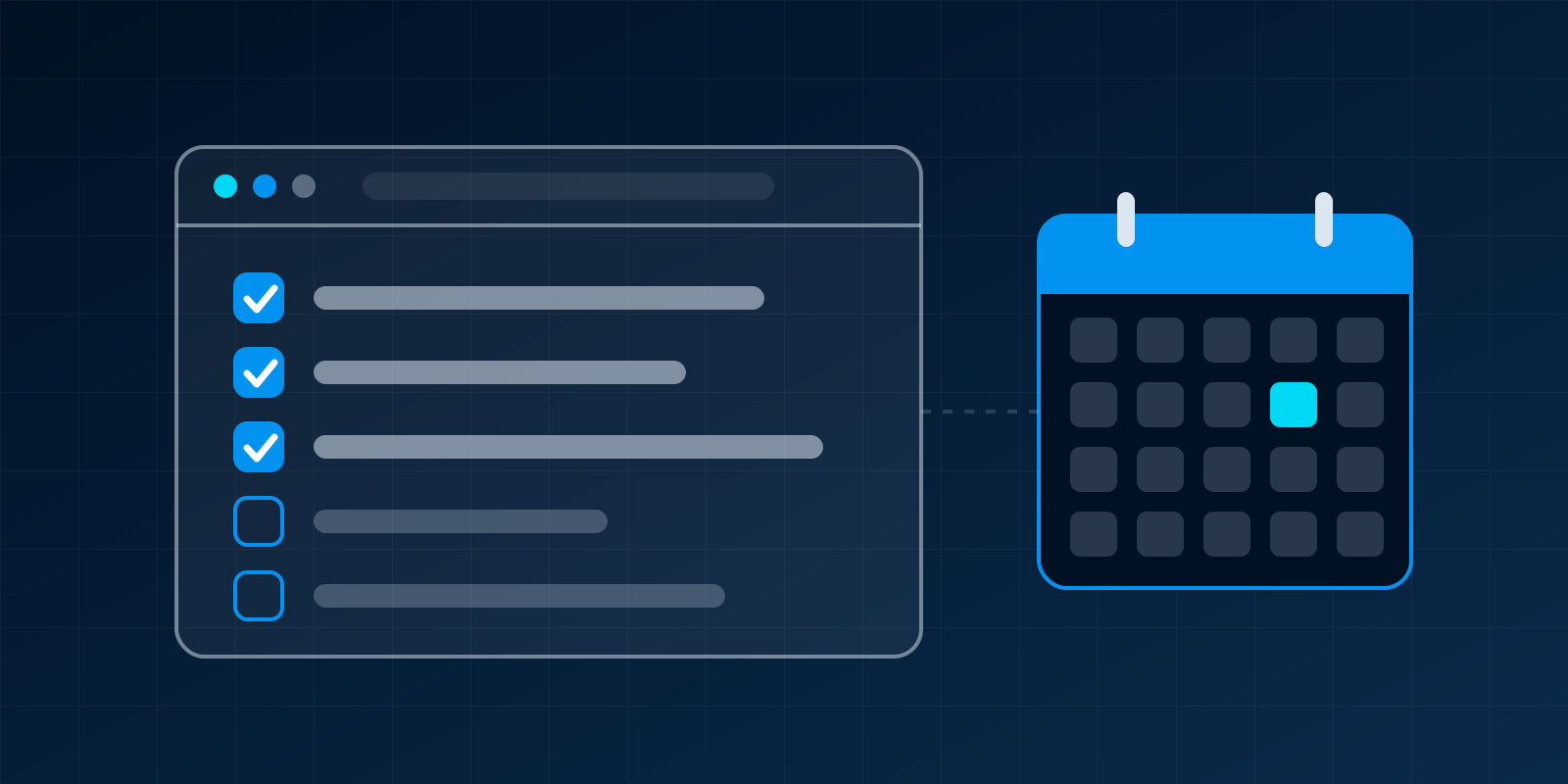
Keep the checklist in a shared document or a recurring task, and tick it off each month with the date. Over time, the record shows what keeps breaking.
If your site runs on Odoo Website, updates and hosting depend on where Odoo runs. Our comparison of Odoo Online, Odoo.sh and self-hosting explains who handles what.
Next steps
Copy this list, put a name against each area and book the first hour in the diary. If you would rather hand it over, our web development service includes ongoing care for sites we build or take over. Our domains and hosting service covers domain renewals, certificates, backups and monitoring.